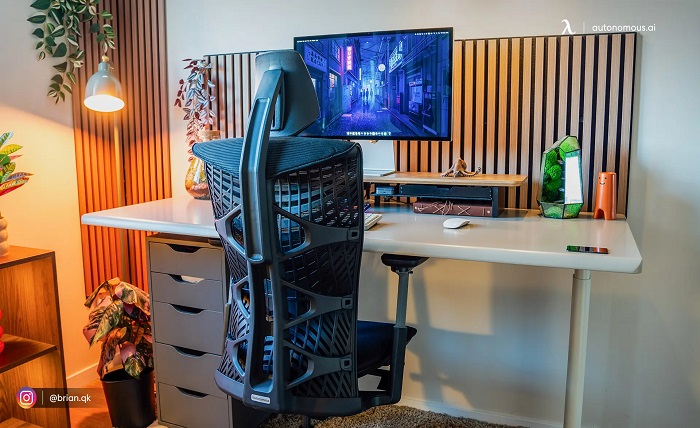
Home offices used to often come in the form of a makeshift corner or spare bedroom; now, with the huge rise in remote work, they are now one of the most carefully designed rooms in modern homes.
Once a luxury, home offices are no longer that; nor something reserved purely for the self-employed or organised. Now, with so many people working from home, more and more working professionals are considering creating a better home office. And really, it’s a necessity for those who are spending a large portion of their working week out of an office.
Whether you work fully remote or divide your time between home and a central workplace, the principles of an effective home setup remain broadly consistent, centred on the right environment, the right equipment, and the right habits to sustain focus across a full working day.
Start With the Space Itself
Think about where you are setting the home office up prior to purchasing a piece of equipment…
Natural light is perhaps your greatest asset in any workspace, and positioning your desk perpendicular to a window allows you to benefit from daylight throughout the day without the glare that comes from sitting directly in front of or behind a light source. Beyond lighting, consider temperature control and air quality, as a well-ventilated space with a consistent, comfortable temperature can significantly improve concentration, reduce fatigue, and support focused work.
If a dedicated room is not available to you, a well-partitioned corner fitted with acoustic panels can make a surprisingly significant difference, both to your own concentration and to the impression you project during video calls.
Noise can disrupt focus and it’s worth ensuring that solid-core doors, a white noise machine running quietly, or a thick bookcase positioned against a shared wall can all absorb and help reduce sound that drifts in from the remaining household, especially if busy.
Invest in the Right Hardware
Slow or underpowered machines are one of the most detrimental external factors to productivity. They delay the speed in which you can work, compounding through frustrations, delays with loading, and the drag of working against your tools, when machines are supposed to do the opposite.
Does your work regularly involve large files, multiple demanding applications running simultaneously, video editing, data analysis, or anything else that places a sustained load on a processor? A standard consumer laptop is unlikely to serve you well if you’re working from home.
This is where investing in a proper workstation becomes not just sensible but genuinely worthwhile. Purpose-built workstation computers are engineered specifically for sustained, heavy workloads, offering professional-grade processors, expandable RAM, and the kind of consistent, reliable performance that consumer hardware is simply not designed to deliver.
Ergonomics Aren’t Optional
If you know a few people who work from home, you might have heard that back and neck pain, as well as wrist problems, are problems that frequently arise, but luckily they’re all preventable with just a modest bit of consideration to the set-up.
For starters, the monitor should sit at eye level. From there, make sure the screen positioned roughly an arm’s length away from your face, your chair supports the curve of your lower back, and your feet rest comfortably flat on the floor rather than dangling or being tucked under a seat.
A sit-stand desk is one of the more impactful investments you can make for your long-term wellbeing and daily energy levels, as alternating between sitting and standing throughout the day reduces the physical fatigue that accumulates when you remain in one position for too long, and tends to keep your focus noticeably more consistent through the mid-afternoon period when concentration often dips.
Connectivity and Peripherals
For video call stability, wired Ethernet connections outperform wireless counterparts. This is also beneficial for large file transfers and other scenarios in which connection is imperative and not something you can compromise on in your daily work routine.
If running a physical cable to your desk is not practical given your setup, a Wi-Fi 7 router positioned as close to your workspace as possible is the most sensible alternative currently available.
Try and think further than mere core connection; the peripherals you choose have a more tangible effect on your daily experience than many people give them credit for. A quality mechanical keyboard, a well-weighted precision mouse, and a reliable pair of noise-cancelling headphones form the foundation of a focused and comfortable working environment, and if your work benefits from more screen space, an external monitor or a dual-monitor arrangement can substantially improve the way you manage information.
To Conclude
Building an effective home office in 2026 is ultimately about making deliberate, considered choices at each stage, from the physical space and the hardware you invest in, to the ergonomics of your setup and the small environmental details that shape how you feel hour to hour. Get the foundations correct, and your home office becomes something genuinely valuable, a place where you are able to do your best work reliably, and where the environment itself supports rather than undermines your efforts.